

Pictaria Server
Understand, enrich, and curate your entire library.
A self-hosted container that sits beside Immich and makes decades of photos legible and actionable — free, open source, and private by design.
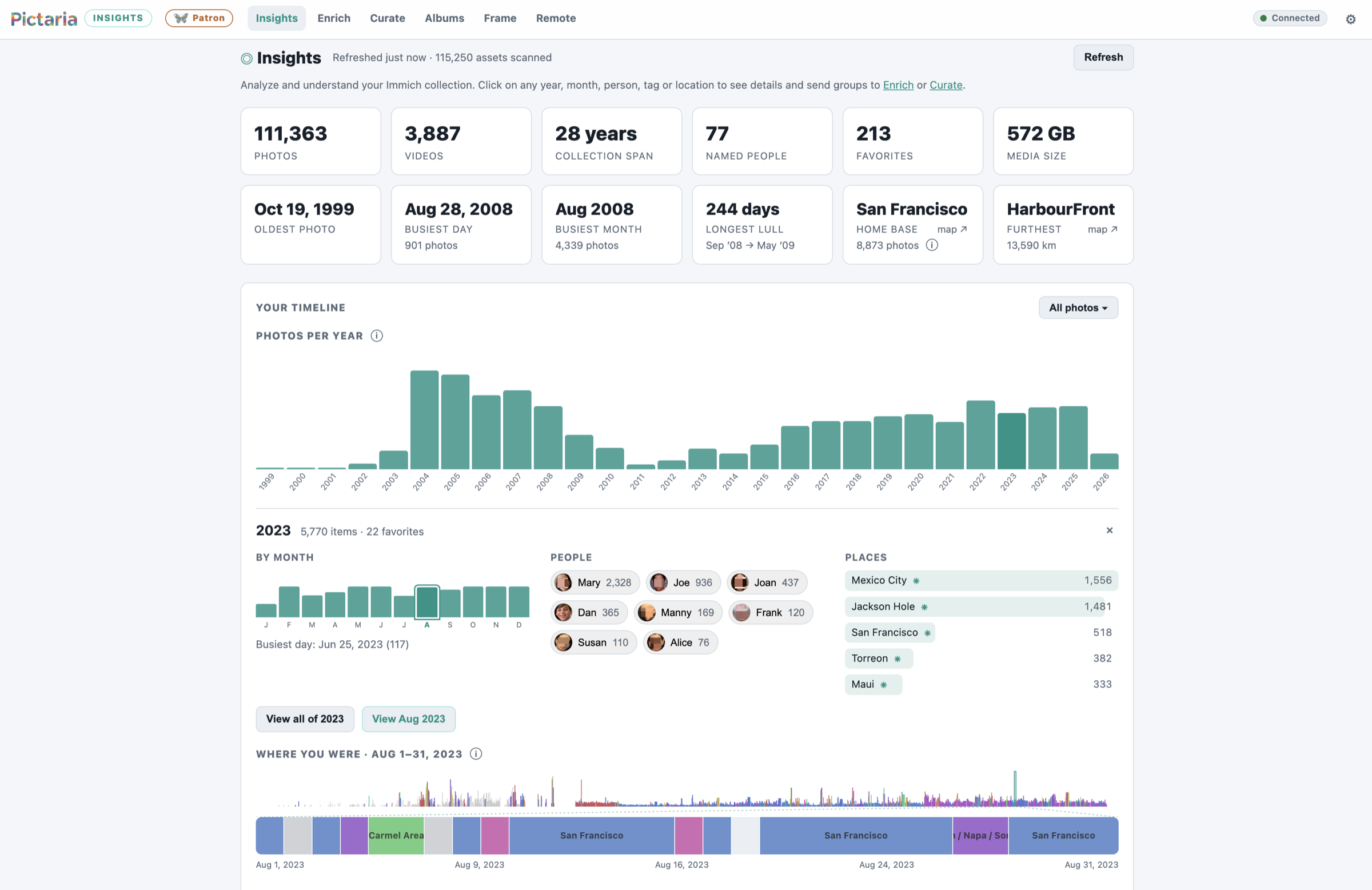 Insights — click any year and see the people, places, and travel inside it
The modules
One container. Five superpowers.
- Connects to Immich via a limited permissions API key
- Cannot delete anything in your Immich collection
- No telemetry to Pictaria; external calls only support features you choose, such as cloud AI, voice, weather, and place names
Insights
Your library, finally legible. Who you photograph, where you've been, and when — every stat is clickable and lands on the actual photos.
- A browsable, clickable timeline of your years of photos
- A constellation graph of the people in your life
- Send any arbitrary slice to Enrich and/or Curate
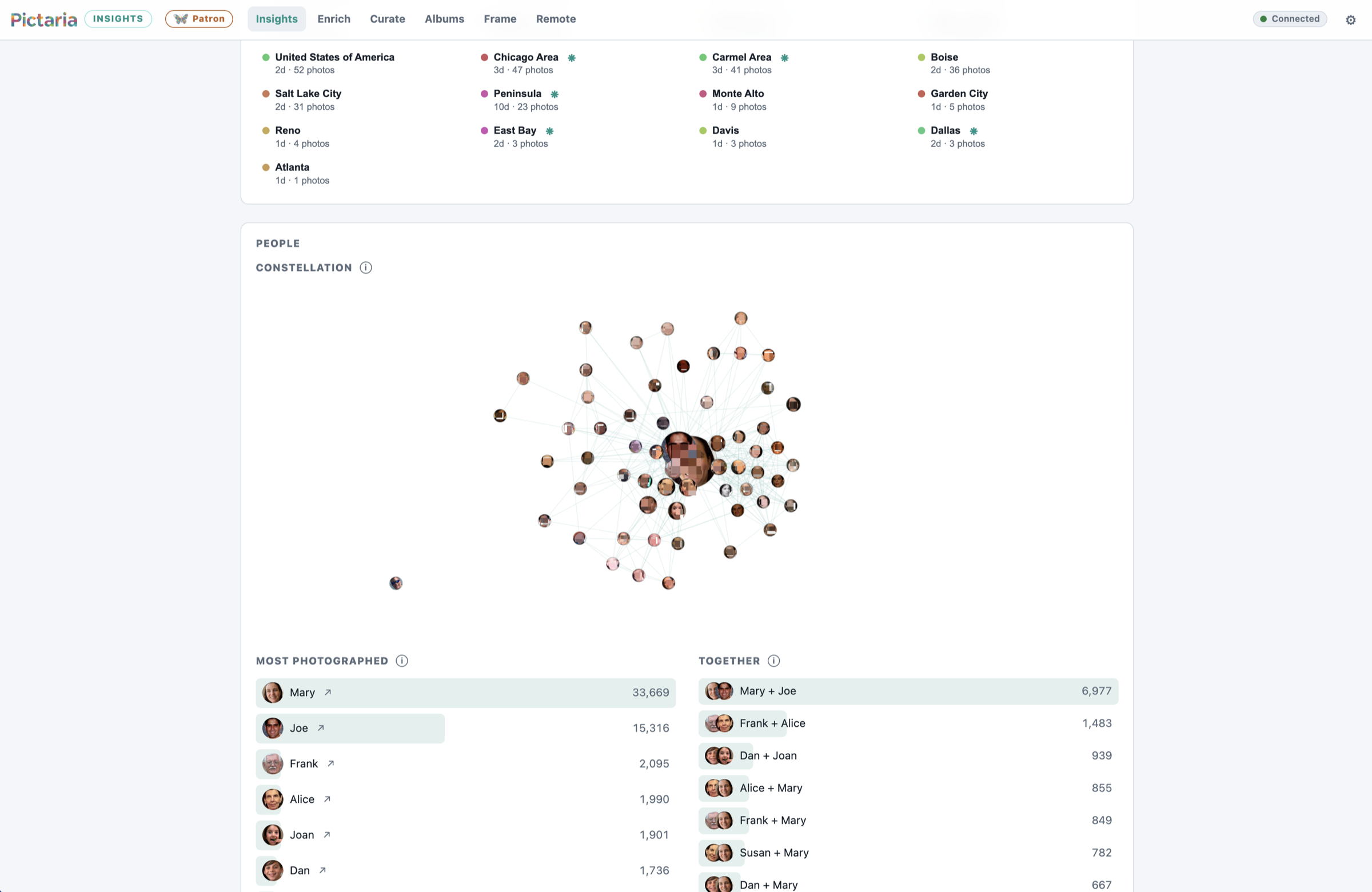 Insights — the people constellation, wired by who appears together
Enrich
AI captions, tags, and quality scores for every photo — searchable in Pictaria and, if you choose, written back to Immich.
- Run Enrich on your own hardware with LM Studio or Ollama
- Or use your own key for a cloud provider, including private models from Venice
- Schedule a daily budget for new photos or start a run whenever you like
- Keep reusable profiles with your own prompts and tags
- Sync AI tags to Immich after enrichment; review when you want
- Inspect photo timings and compare setups in Enrich performance
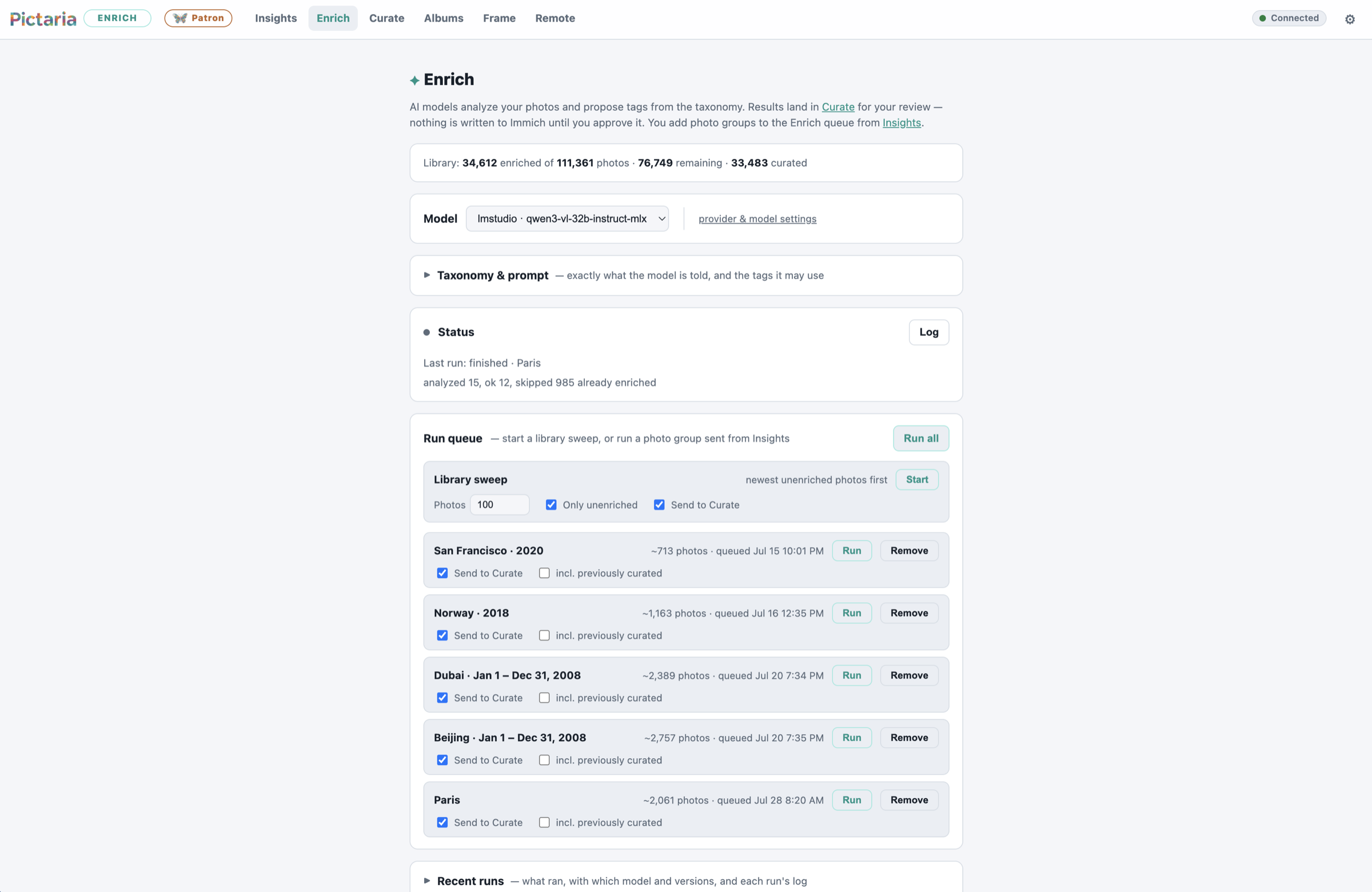 Enrich — trip groups queued for the model you choose
Curate
Thirty thousand photos of "which of these five is the keeper?" answered at keyboard speed — with an optional AI referee that pre-picks the best shot in every burst.
- Burst and near-duplicate stacks with side-by-side compare
- Keep the best, skip the rest — one keystroke
- Works with or without AI
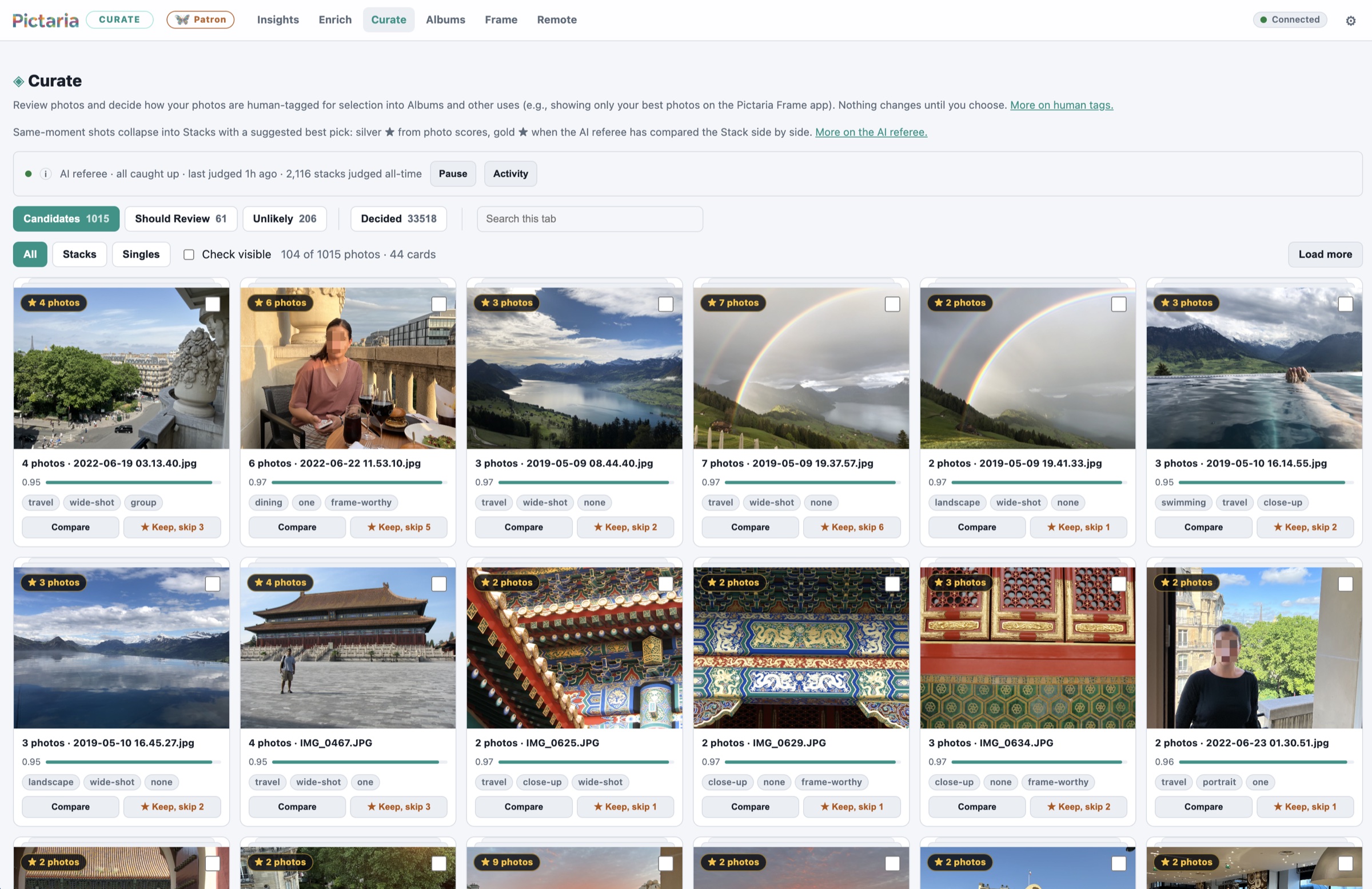 Curate — stacks with a suggested best pick, one keystroke to decide
Smart Albums
Create rule-based albums in Immich that maintain themselves: people, places, dates, cameras, and more — updated on your schedule.
- "John and Jenny in San Francisco" stays current forever
- Filters compose: people ∩ places ∩ time ∩ camera
- Writes real Immich albums you can use anywhere
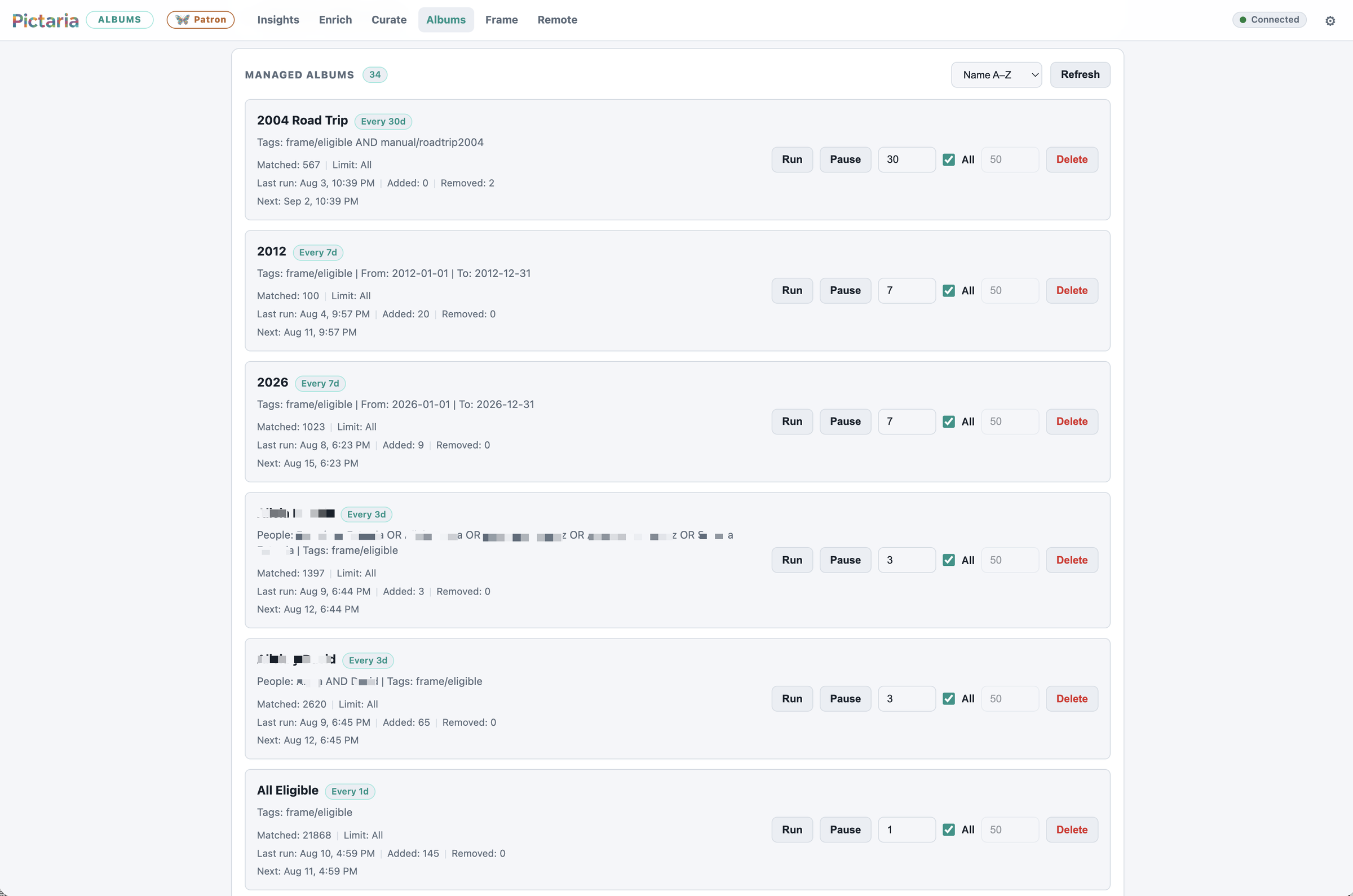 Smart Albums — self-maintaining rules, written back to Immich
Frame hub
The info and command center for every Pictaria Frame in the house. Understand what is being viewed, where and how often.
- See and control all Frames from your phone browser
- Watch voice command and display activity
- Additional services like voice/TTS config, weather location and more
- Frame management works on your LAN (go remote with Tailscale)
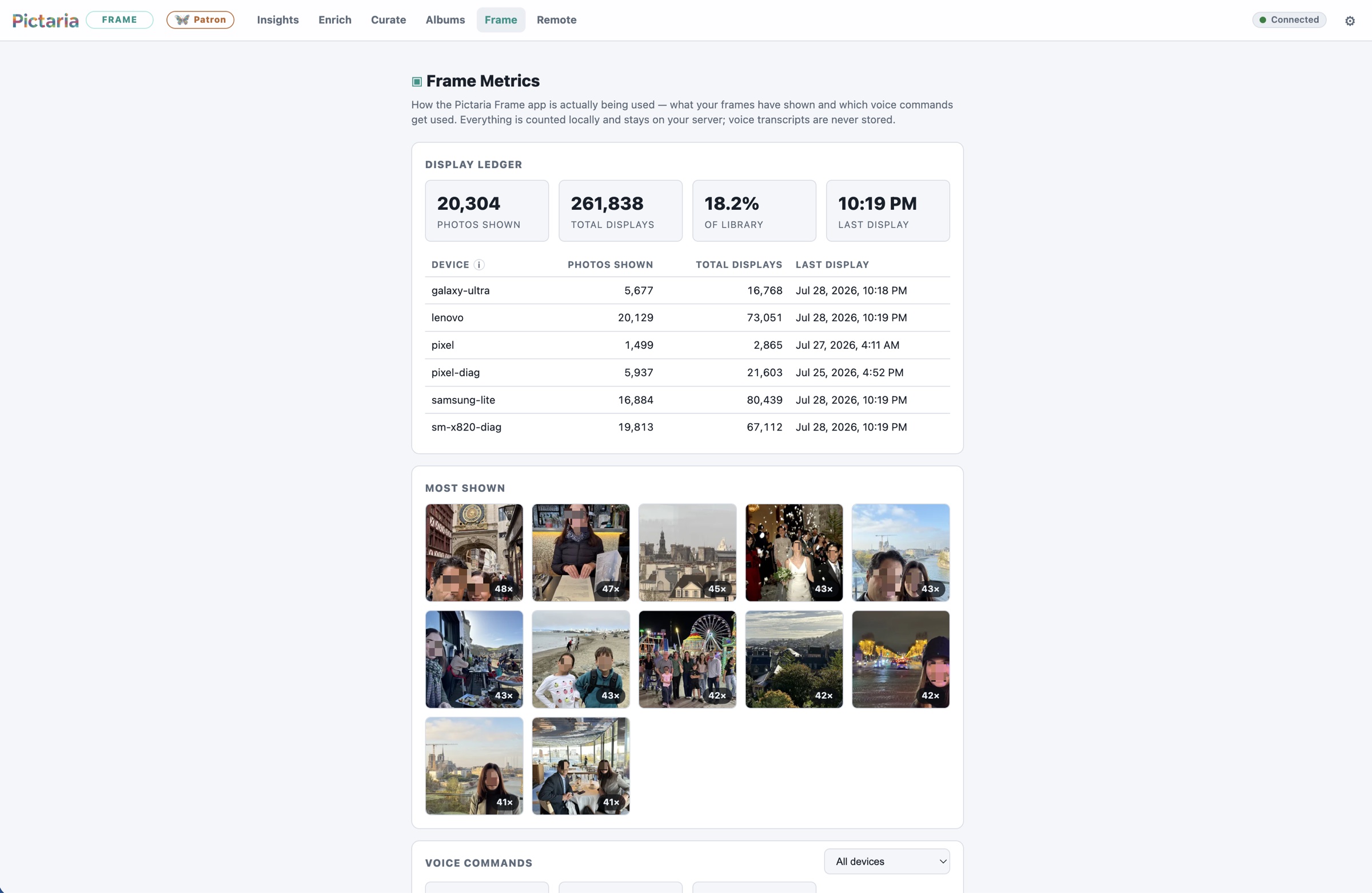 Frame hub — every display's activity, counted locally
Quickstart
Two files. One command.
If you run Immich, you already know the drill: a
docker-compose.yml, a .env with three values,
and docker compose up. The image below pins Pictaria Server
v1.2.1 — the current release.
services:
  pictaria:
    image: ghcr.io/pictaria-ai/pictaria-server:1.2.1 # explicit release
    container_name: pictaria
    restart: unless-stopped
    ports:
      - "4080:4080"
    environment:
      IMMICH_BASE_URL: ${IMMICH_BASE_URL}   # your Immich URL
      IMMICH_API_KEY: ${IMMICH_API_KEY}     # an Immich API key
      APP_PASSWORD: ${APP_PASSWORD}         # protects the web UI
    volumes:
      - pictaria-data:/data

volumes:
  pictaria-data:
Then open
http://your-server:4080. Full walkthrough in the
documentation — AI providers, voice, weather,
and backups are all configured from the web UI afterwards. And once
it's running, the Server guide
explains every tab for whoever uses it day to day.
Free & open source
Pictaria Server is free — no license keys, no feature gates, no telemetry. The source is on GitHub; the container is on GHCR. If it earns a place in your home, there's a completely optional supporter badge.